Posted in Autism, Down syndrome, Dual Diagnosis Down syndrome and autism, Education and Special Needs, IEP (Indivdualized Education Plan)

Blog #239~ Back to School Tips for DS-ASD Families in 2021

Blog #239~Back to School Tips for DS-ASD Families in 2021

As the 2021-2022 School year approaches after a lengthy Covid-19 lockdown, many families feel anxiety about returning to school. Families who have a child with a dual diagnosis of Down syndrome and autism (DS-ASD) have additional challenges and needs to consider.

My name is Teresa Unnerstall, I am a DS-ASD parent, consultant and author of A New Course: A Mother’s Journey Navigating Down Syndrome and Autism. My son Nick is 27 years old and my passion is to help families, educators, therapists, medical professionals and anyone interested in supporting individuals with co-occurring DS-ASD.

Order your copy on Amazon at https://amzn.to/2W3Un6X

This week, I want to offer some practical tips to help families ease back to school. Whether you are in person or remote, the goal should be a smooth transition for students.

Here are my 10 Back to School Tips:

1. Prepare the student with a visual countdown calendar, and re-instate morning/evening routines before school starts.

2. Tour the school with your child. Then, create a social story or video social story of the school settings and staff that the student will be interacting with. Review this several times before school starts.

3. At the tour, whether it’s in person or virtual, ask the teacher to show you the Covid-19 safety precautions, accommodations and equipment that is listed in the IEP to make sure everything is in place.

First Then Visuals

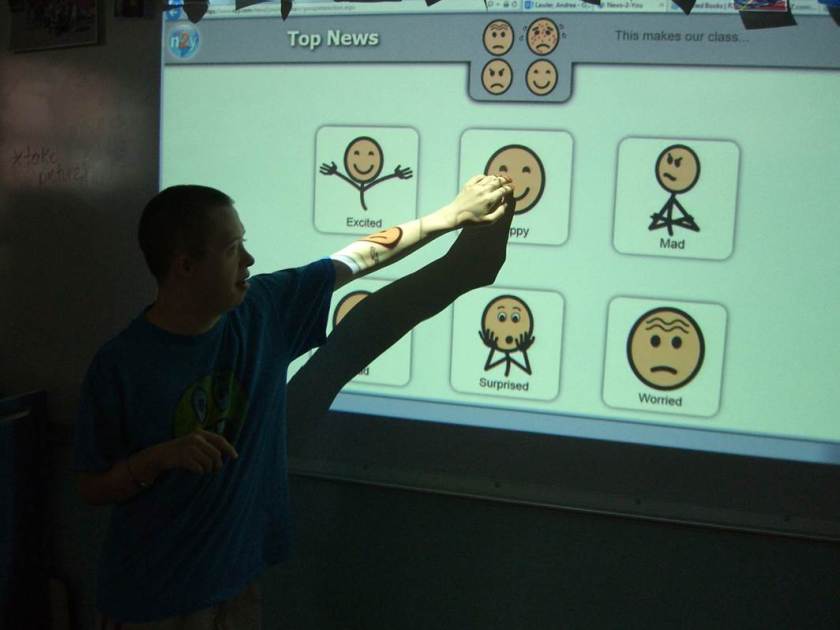
Nick using the Smart Board

4. Prepare a student “About Me” profile sheet. There are many templates available online. You can include different sections such as, Things I love, My Strengths, What Works Best for Me, How to best support me, What Doesn’t Work for Me, and Interests. Make several copies to share with the staff.

5. Determine the modes of communication back and forth with the teacher and school staff. Examples include texting, email, communication logs/notebooks and daily report sheets. This is very important as many students with DS-ASD who have language deficits or may be non-verbal.
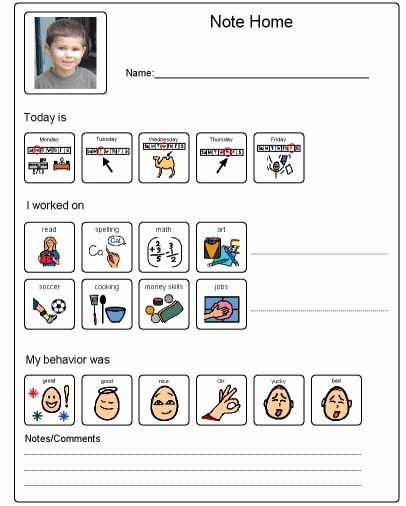
Daily Report Sheet

6. Review the child’s IEP to insure that all goals and accommodations are still relevant. Note any additional needs or concerns you have coming off of the summer break and remote learning. Share these with the staff at school.

7. If the student has a behavior support plan, check to see if this has been shared with all staff and is ready to put in place on day one. Make a list of any new target behaviors that may need to be addressed.

8. If the student uses AAC (Augmentative and Alternative Communication) make sure the teacher and aides are familiar with how to use the program, whether it’s high tech or low tech like a picture exchange system (PECS). You can request a training for staff and parents on how to program devices, navigate tabs and get trained on how to utilize PECS with the school speech and language therapist or school district AAC specialists.

AAC Touch Chat Program

9. Students may have lost skills or experienced regression due to summer break and remote learning due to the Covid-19 Pandemic. Evidenced-based practices help students regain lost skills and develop new ones. Some examples are using visuals, schedules, task strips, task analysis, first-then prompts, visual timers, choice boards and sensory breaks.

Sensory Break PECS Icon, Is there a sensory break area for students in your school?
Time Timer App
Choice Boards

10. Show your commitment by staying on top of your child’s progress. Ask for data within the first quarter. Data drives decision making for future conferences and IEP meetings. If possible, volunteer at school, (room parent, field trip chaperone, art awareness presenter, book fairs, picture day and assisting with making learning materials like laminating and making copies).

Being prepared, invested and aware of your child’s needs will help them reach their full potential for the new school year. As students re-enter school after a long break, let’s also remember to extend each other some grace, be flexible, and give time and space to establish the new normal, whether you are heading back into the classroom or working remotely.

That’s what is in my noggin this week.

~Teresa 🙂

Follow us on Social Media: Facebook, Instagram and Twitter

Posted in Autism, Down syndrome, Dual Diagnosis Down syndrome and autism, Education and Special Needs, Feeding, Personal Hygiene, Toileting, Parenting Special Needs, Resources for Special Needs

Blog #164~Why Use a Visual Schedule?

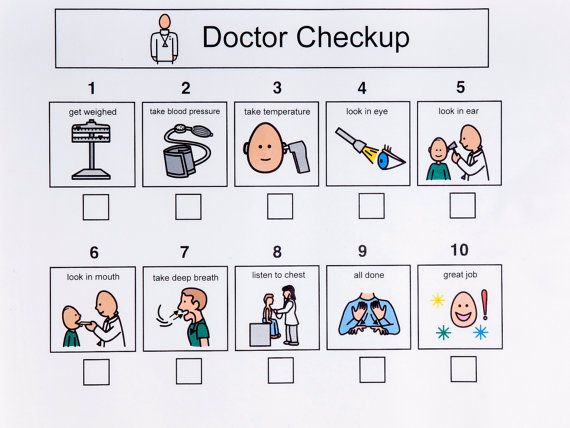
doctor-checkup

Blog #164~Why Use a Visual Schedule?

We all hate getting lost, it can be aggravating  and nervewracking. That’s why we use maps to help navigate our way.

mapquest

The same is true for a child with special needs who lacks verbal and cognitive skills.  Providing a visual schedule allows your child to see what is going to happen in their day. My son, Nick is 22 years old and has Down syndrome and autism. Visual schedules provide many benefits for him to travel smoothly, through his daily routine.

Nick fist bump AID

Benefits of Using a Visual Schedule:

*Provides structure and predictability by showing a child what is coming up next.  This greatly reduces anxiety and builds confidence.

*Helps with transitions from one activity to the next.

*Picture form is easier to understand than verbal instructions.  Children with autism often comprehend pictures and/or written directions easier than verbal cues alone.

*Helps to teach sequence of events especially when using words, “first”, “next”, and “last”.

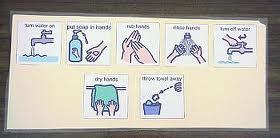
*Expedites learning routines and fosters independence in self-help/hygiene skills and household/school jobs.

handwashing-routine

*Helps with time management and literacy development by reading through pictures and words associated with them.

*Improves conversation skills by giving a visual framework of what they did and what was their favorite part of the end of the day.

*Assists teachers and caregivers with routine changes, when things get out of sync.  It also helps to introduce a new and/or different activity.

dentist-checkup-visual

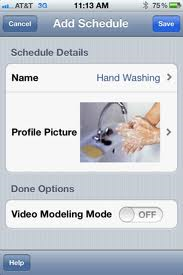
Visual schedules come in all shapes and forms and many are available in Google images.  You can adjust the length and type of images, (PECS-Picture Exchange System, photos, written words,  iPad/ smart phone apps) to what your child will most easily understand.

first-then-app

It’s best to start with a small routine and adapt the schedules based on your child’s needs and abilities. Try pairing a non-preferred activity (first) followed by a preferred choice (next).  Your child’s speech therapist can be of great help in creating picture sequences that would fit their needs.

Going through a visual schedule with your child, helps them understand what is going to happen, and what behavior you expect.

Here is one we use when going to the mall.  Note the visual below has going to the stores (first)  and Taco Bell (next) as the preferred activity.

IMG_3865

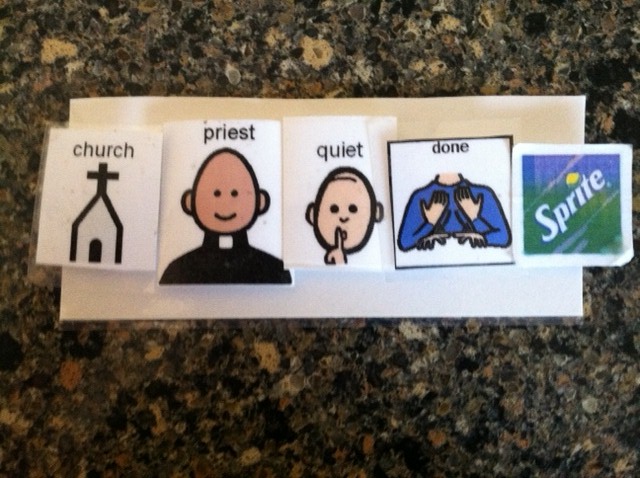
Sequence for going to church:

photo (106)

Full Day Schedule: ( Note, this could be broken up in separate pieces if this would be to overwhelming).

visual-schedule-for-a-day

Using visual schedules have been shown to be helpful for children and adults with special needs by giving them more control on what goes on in their daily lives.  It provides the road map to navigate for a smooth ride through their daily routines.  That’s what is in my noggin this week.

~Teresa 🙂
Follow Nick:

@Down Syndrome With A Slice Of Autism on Facebook and Pinterest

#nickdsautism on Instagram

@tjunnerstall on Twitter


Posted in Autism, Down syndrome, Dual Diagnosis Down syndrome and autism

Blog #74~ Teaching to 21

Blog #73~ Teaching to 21
Last week, I was a guest lecturer at Northern Illinois University. The graduate level class topic was “Functional Communication and Social Skills” as it relates to autism. I presented a parent’s perspective.

NIU logo

One of the greatest gifts we can give our kids is teaching personal independence. It’s never too early to start working on these skills. One concept brought to my attention by Nick’s support teacher from elementary school is called, “Teaching to 21.” What skills will an individual with special needs require to lead a successful life after school is finished? Here is a list of skills that should be addressed both in school and at home for students with special needs:

 Assessment of Functional Living Skills (AFLS)

Source: http://autismbeacon.com/topics/article/functional_skills_for_people_on_the_autism_spectrum

“Functional skills” are those skills that if learners cannot do for themselves, someone will have to do for them. Functional skills are immediately useful and important. They increase self-help and independence and are present in every setting and throughout every stage of life:

Basic skills:
Self-management
Basic Communication
Dressing
Toileting
Grooming
Bathing
Health, safety, first aid
Night time routines

Home Skills Module:
Meals at home
Dishes
Clothing
Laundry
Housekeeping
Chores
Household mechanics
Leisure
Kitchen
Cooking

Community Participation:
Basic mobility
Community knowledge
Shopping
Meals in public
Money handling
Phone
Time
Social awareness
Manners

School Skills:
School waiting and transitions
Classroom routines
Meals at school
Classroom people, places and objects
Classroom mechanics
Outside school
Functional academics
Classroom leisure and independence

The IEP team should address these skills in goal planning and daily schedules of the student. In addition, supports should be put in place that will assist the student in reaching these goals. Here are some of the supports that Nick has used in school. Since Nick has a dual diagnosis of Down syndrome and autism, these tangible provisions give him clarity and focus in doing his tasks.

*Visual supports such as task strips, social stories, picture schedules and video modeling:
task strip
*First-then visual or app to remind student what they are working for:
first then

first then app
*Timed Timer clock or app and Picture Scheduler app:

timed timer

picture schedule app
*Physical prompting-teacher may do hand over hand to teach a school and fade back to just pointing to direct student.

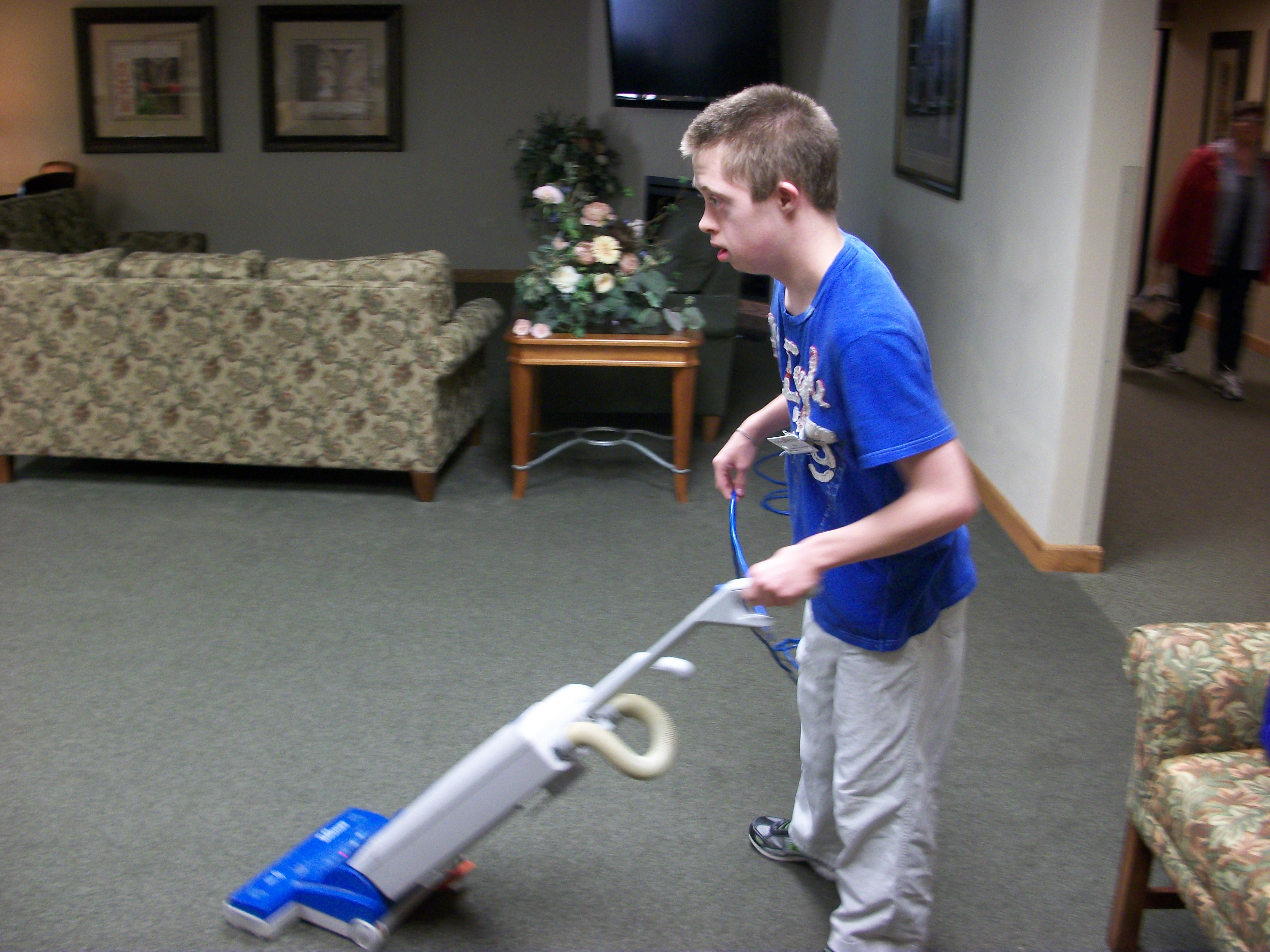
*Guiding student with visual cues (putting stickers on washcloths to teach folding sequence, sprinkle hole punch paper dots on floor to teach vacuuming, using counting templates, etc…)

Nick packaging door knobs_Habitat_4 (2)

For students with autism, if they can see it…. they can understand it. In Blog #5~Ready, Set, Action (located in April 2012 Archives) I wrote about how successful video modeling was in teaching Nick skills around the house. He responds to and is motivated by seeing the footage in a video format. It also landed him a community job at a local elder residence care facility.

Nick hard at work 🙂
Nick vacumming_Tabor Hills (3).

Nick takes great pride in his jobs both in the community, school and at home. We continue to work on the skills needed for him to be as independent in all areas of his life so he is ready to manage things when he is finished with school. It’s all about starting early and teaching to 21! That’s what is in my noggin this week. 🙂

~Teresa

Follow Nick on Social Media:

Facebook and Pinterest @Down Syndrome With A Slice Of Autism

Instagram @nickdsautism

Twitter @tjunnerstall